Adding favicons
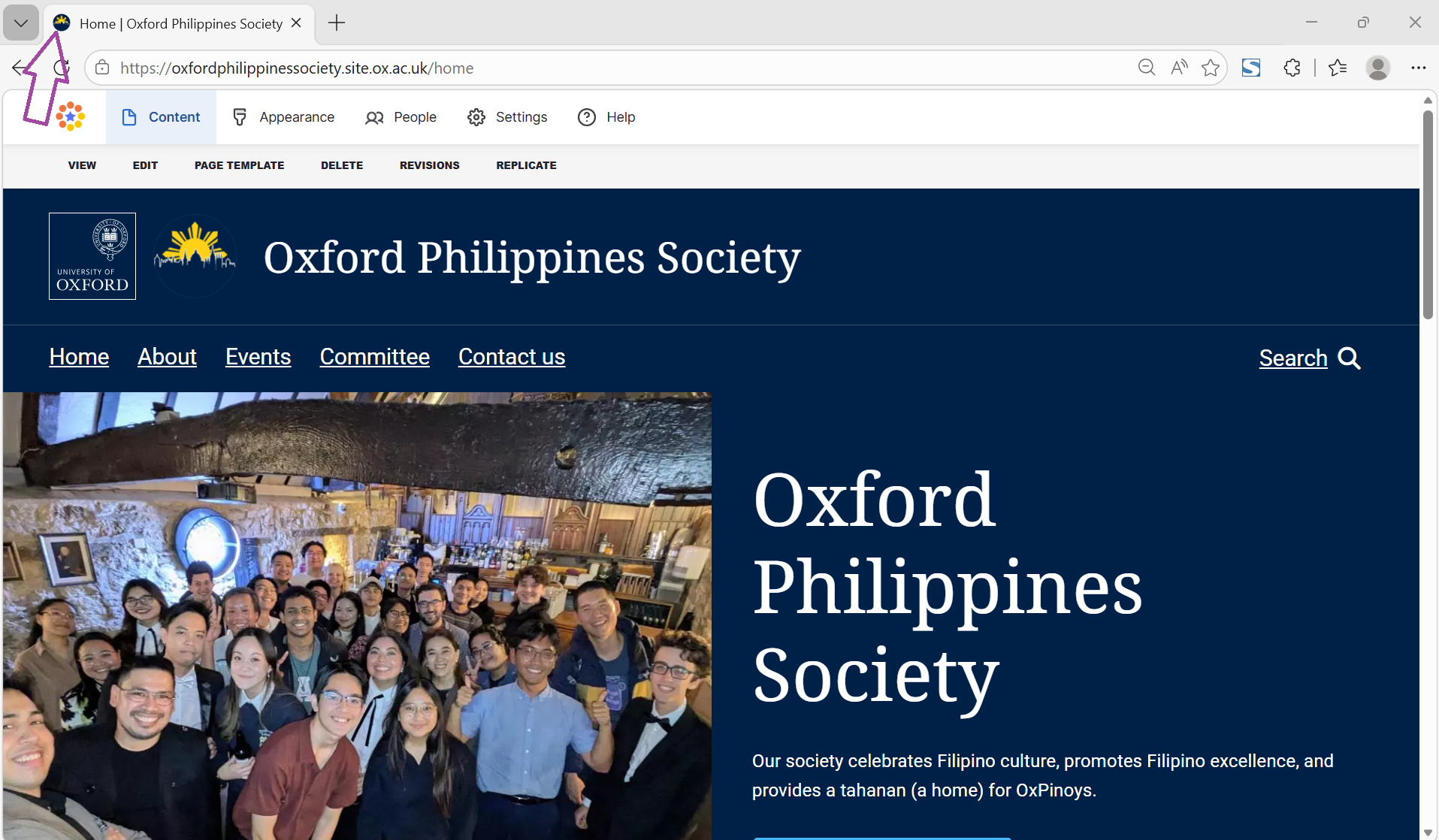
A favicon is a small, square icon that represents your website, typically appearing in browser tabs next to the page title. Because these icons are displayed at very small sizes, you should use a simple design, as complex or detailed images often display poorly.
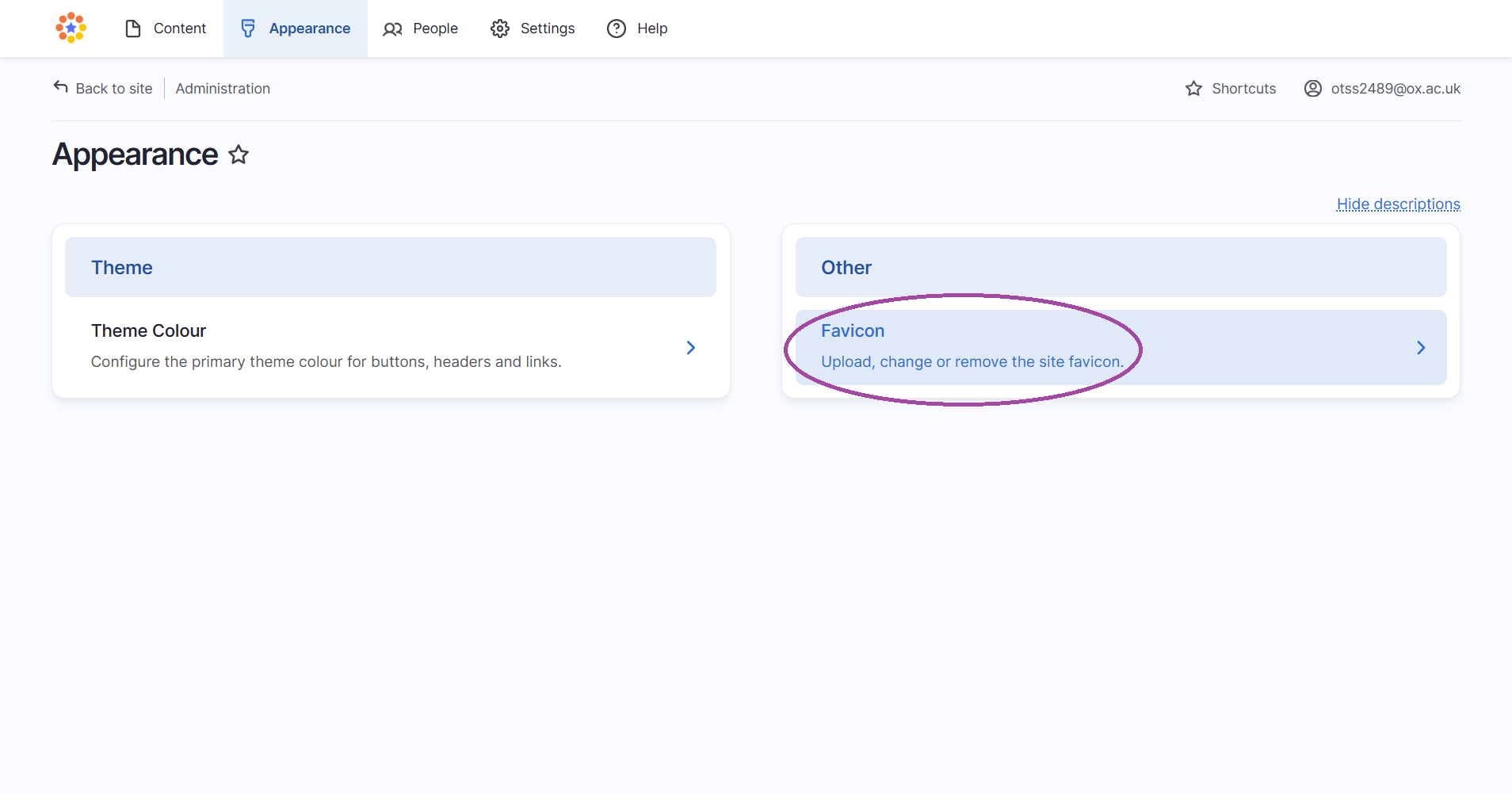
In Fresco, Site Administrators can upload a favicon by navigating to Appearance on the Admin Ribbon. Note that favicons do not migrate automatically from Mosaic and must be recreated manually after migration
Step-by-step guide
Step 1
- Go to appearance on the Admin Ribbon at the top of the page

Step 2
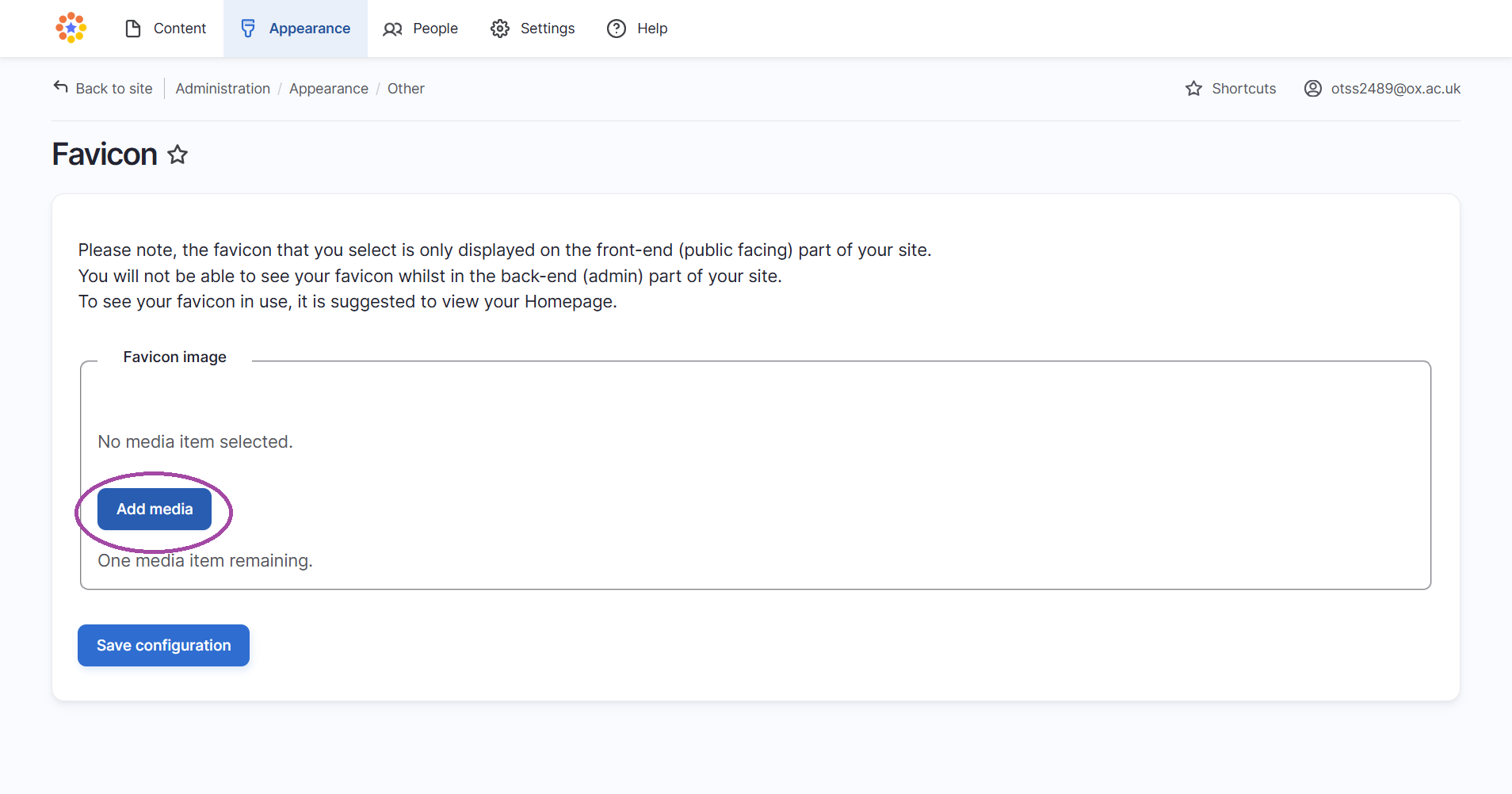
- Locate the option to upload a favicon and add media
Step 3
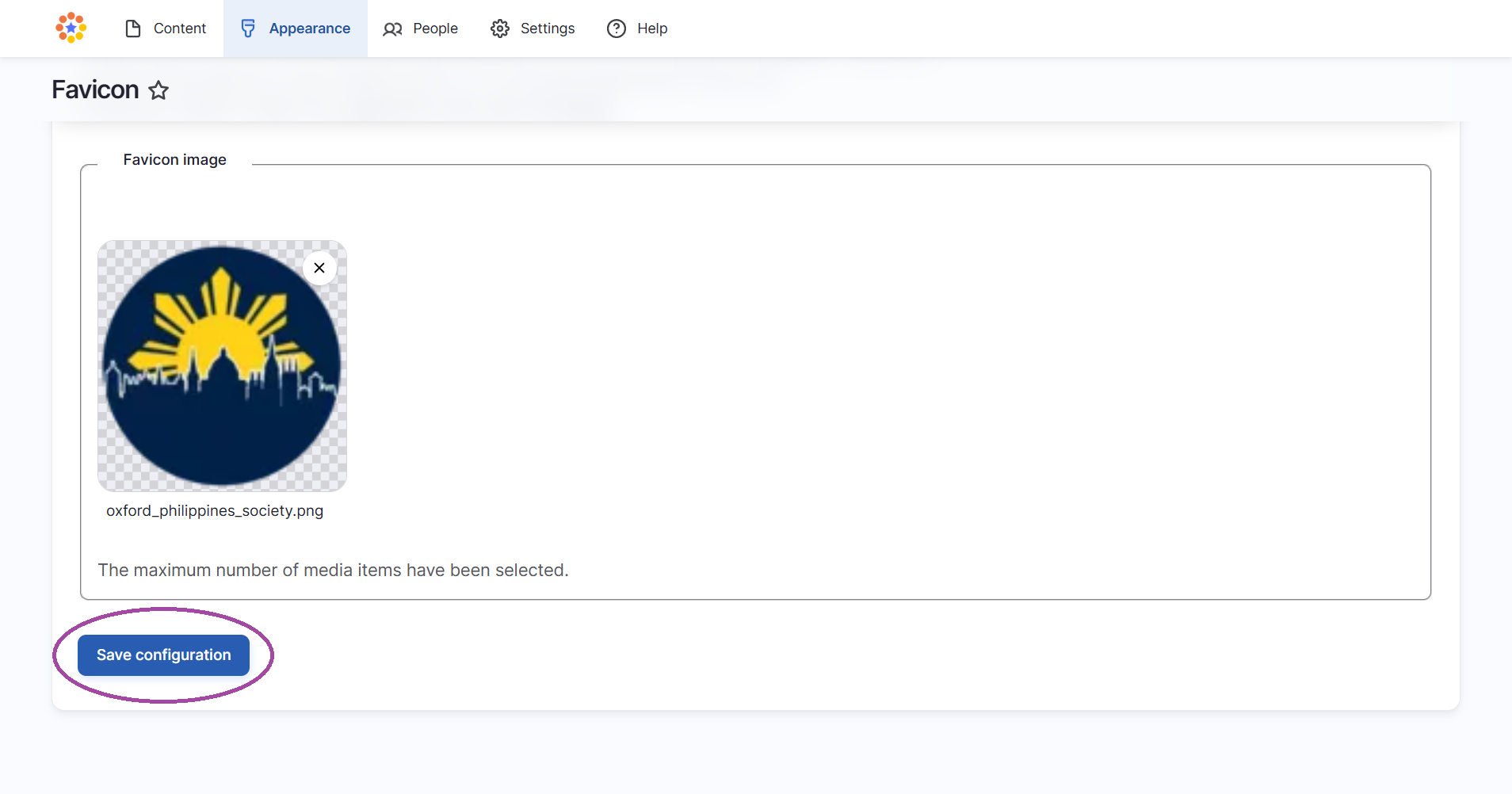
- Select and upload your image file. For the best results, use a square and simple icon, as complex or detailed images display poorly at small sizes
- Remember to save changes before you exit editing